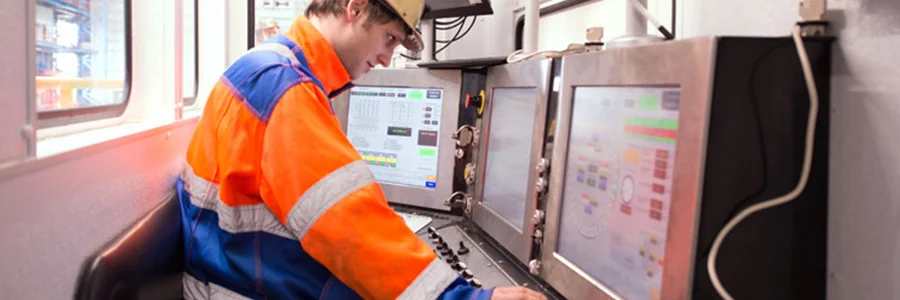
In food processing and manufacturing environments, operator interaction with Human Machine Interfaces is constant, repetitive, and often time critical. Small inefficiencies in interface design accumulate quickly. They translate into slower task execution, higher error rates, and longer training cycles.
According to research in human factors engineering, interface design directly influences cognitive load, reaction time, and decision accuracy. When an operator must stop to interpret unclear information or navigate a confusing layout, the system is not supporting the task. It is adding friction.
In regulated industries such as food processing, where sanitation, uptime, and consistency are essential, that friction carries measurable operational risk.
Human factors engineering focuses on designing systems that align with human capabilities and limitations. In industrial HMIs, this translates into interfaces and hardware that reduce mental effort, support intuitive interaction, and remain usable under real working conditions.
This is not about aesthetics. It is about function under constraint:
A well-designed HMI accounts for these constraints at both the interface and hardware level.
One of the most overlooked factors in HMI design is touch accuracy. In many manufacturing environments, operators interact with screens while wearing gloves. Standard UI elements designed for bare fingers often become unreliable.
Key design considerations:
Research in usability engineering consistently shows that increasing target size reduces input error rates. In industrial workflows, this directly improves throughput and reduces rework.
Hardware also plays a role. Resistive and projected capacitive touch technologies behave differently under gloves and moisture. Selecting the correct touch implementation is part of human factors design, not just a hardware decision.
Operators must be able to interpret information instantly. Poor visibility increases cognitive load and slows response time.
Critical factors:
In food manufacturing, stainless steel environments and washdown areas often reflect light. Displays that are not designed for these conditions can become difficult to read, especially during cleaning cycles or outdoor operations.
High-bright displays and optical enhancements such as bonding reduce reflections and improve clarity. These are not cosmetic upgrades. They directly affect operator performance.
Consistency is one of the most effective ways to reduce training time.
When layouts, colors, and control positions remain consistent across screens:
Inconsistent interfaces force operators to relearn interactions across screens. This increases cognitive load and introduces hesitation.
Best practices include:
These principles are well established in usability standards such as ISO 9241, which addresses ergonomics of human system interaction.
Human factors extend beyond the screen. The physical integration of the workstation affects usability, safety, and hygiene.
In food and manufacturing environments:
Recessed or panel-mounted workstations help protect equipment while maintaining a clean interface for operators. Poor placement, on the other hand, can lead to awkward interaction, fatigue, and increased risk of input error.
For hazardous areas, additional constraints apply. Equipment must meet classification requirements while remaining accessible and usable. This balance is a design challenge that directly impacts operator efficiency.
The cumulative effect of these design choices is measurable.
When HMIs are designed with human factors in mind:
In contrast, poorly designed systems require informal workarounds. Operators rely on memory or peer guidance instead of the interface itself. This creates variability and increases dependency on experienced personnel.
From an operational standpoint, reducing training time is not only a productivity gain. It also reduces risk in environments with strict compliance requirements.
In platforms such as ToughStation Workstations, these considerations converge at the system level.
The enclosure design, display performance, touch technology, and mounting configuration all contribute to how effectively an operator can interact with the system.
For food processing and manufacturing, this includes:
For hazardous areas, the same principles apply under stricter constraints. The system must remain usable while meeting classification requirements.
Human factors in HMI design are often reduced to interface layout. That is incomplete.
Operator performance is shaped by the interaction between software, hardware, and environment. Small design decisions, when aligned with real operating conditions, reduce friction across every interaction.
The result is not only a better user experience. It is a more stable, predictable, and efficient operation.
Based in Clemmons, North Carolina, VarTech Systems Inc. engineers and builds custom industrial and rugged computers, monitors, and HMIs.